Event registration & fundraising
GivePanel Events x JustGiving brings event registration and fundraising together, so supporters register, buy their ticket and set up their JustGiving fundraising page in one journey. Set up your entire event in 30 minutes or less.
Want to check costs first? See how Events pricing works.
Event registration and JustGiving. Together in one place.
-
Event builder
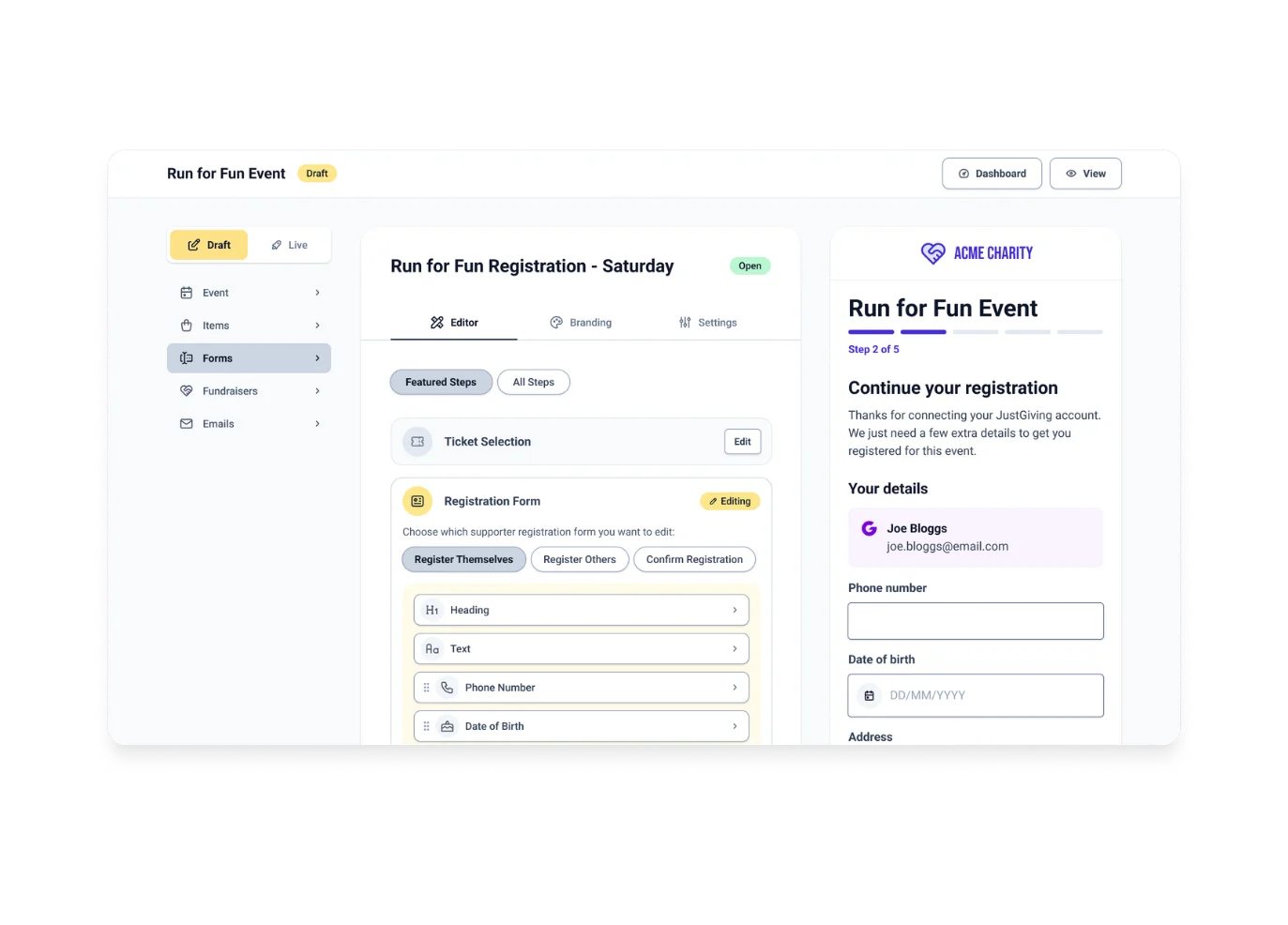
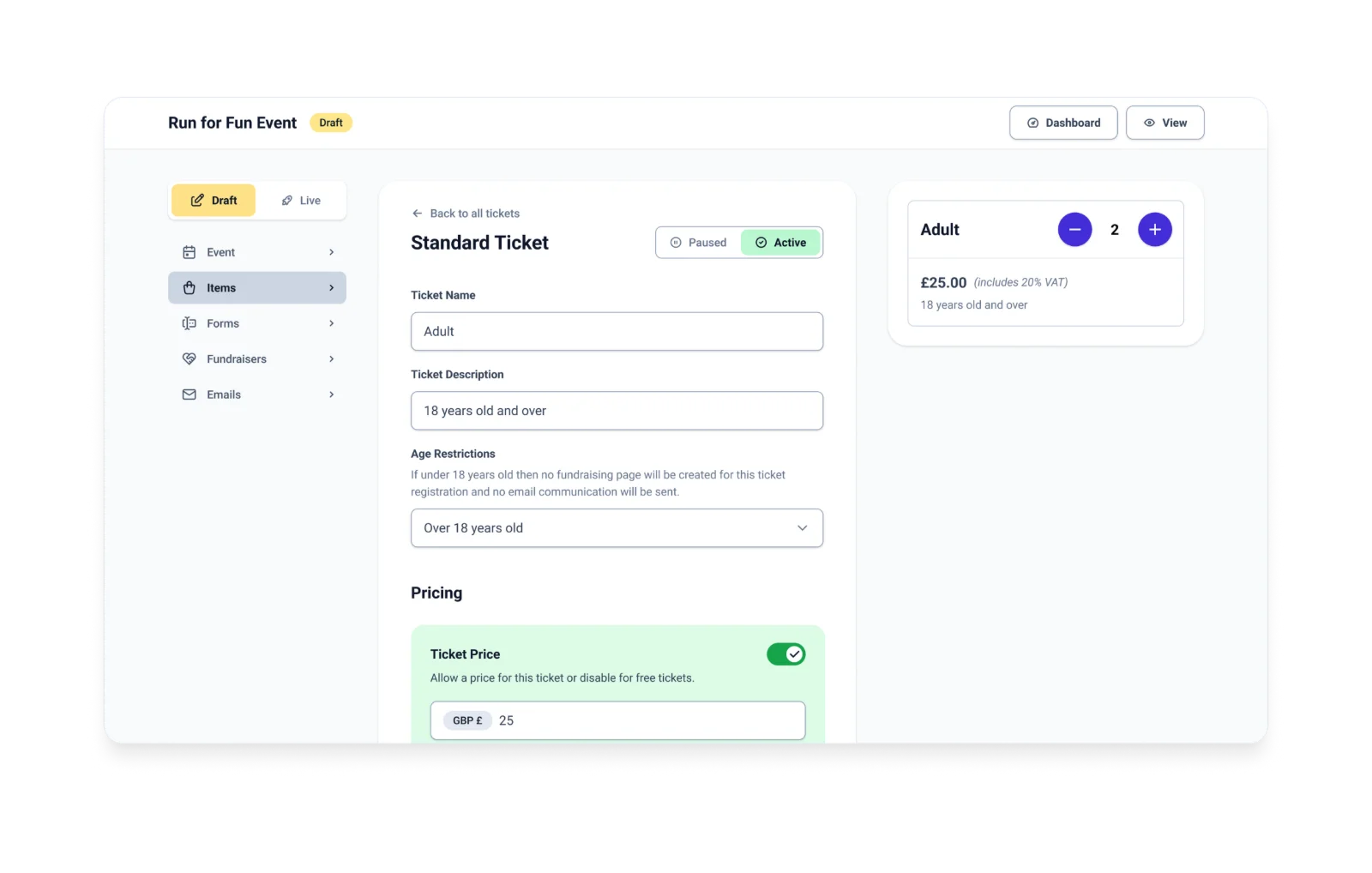
Give your team full control over every aspect of your event setup – ticket types, data capture, discount codes, and stewardship emails – without needing technical resource. Flexible enough for complex events. Simple enough to configure in 30 minutes or less.
-
Dashboards & reporting
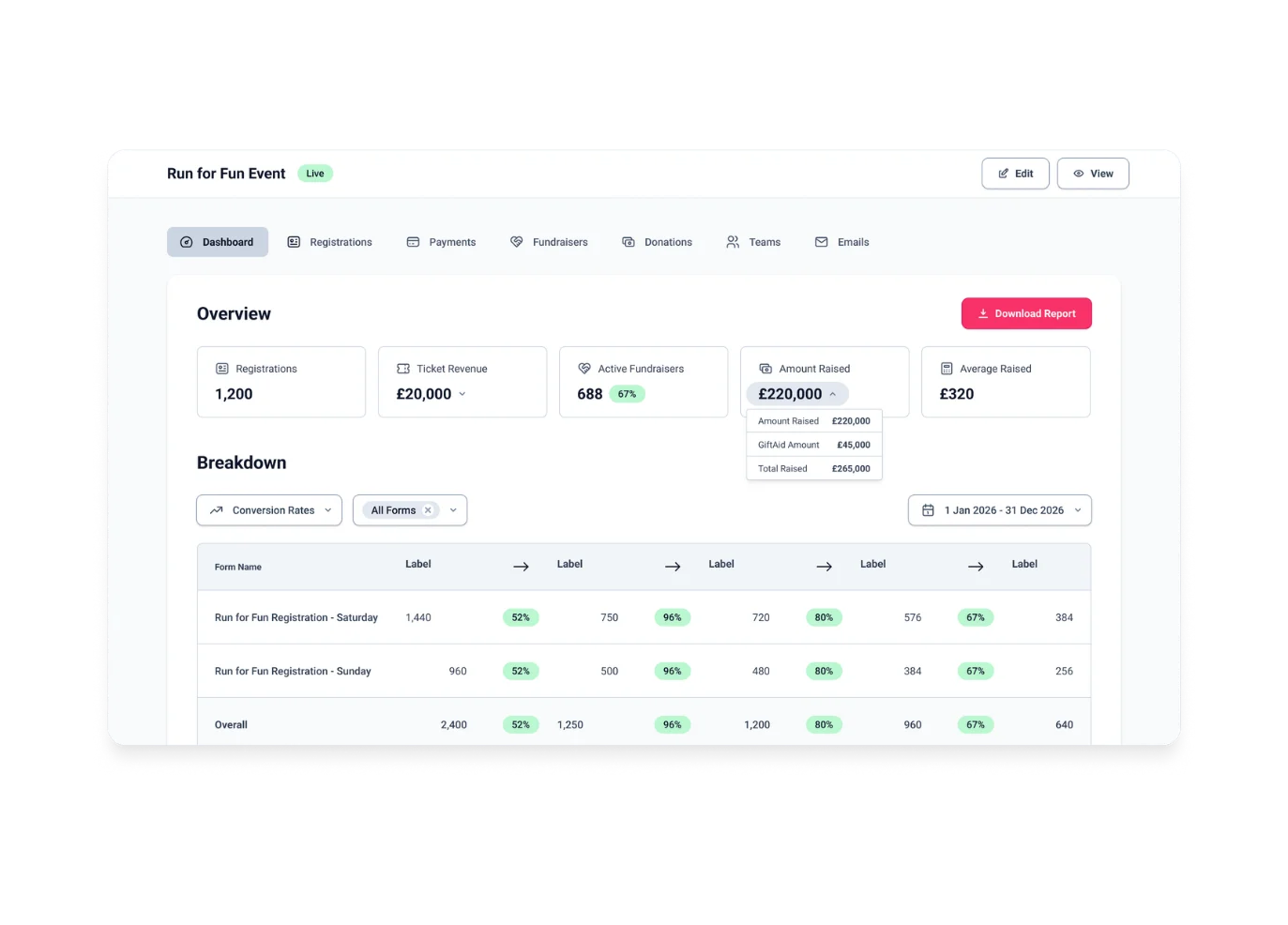
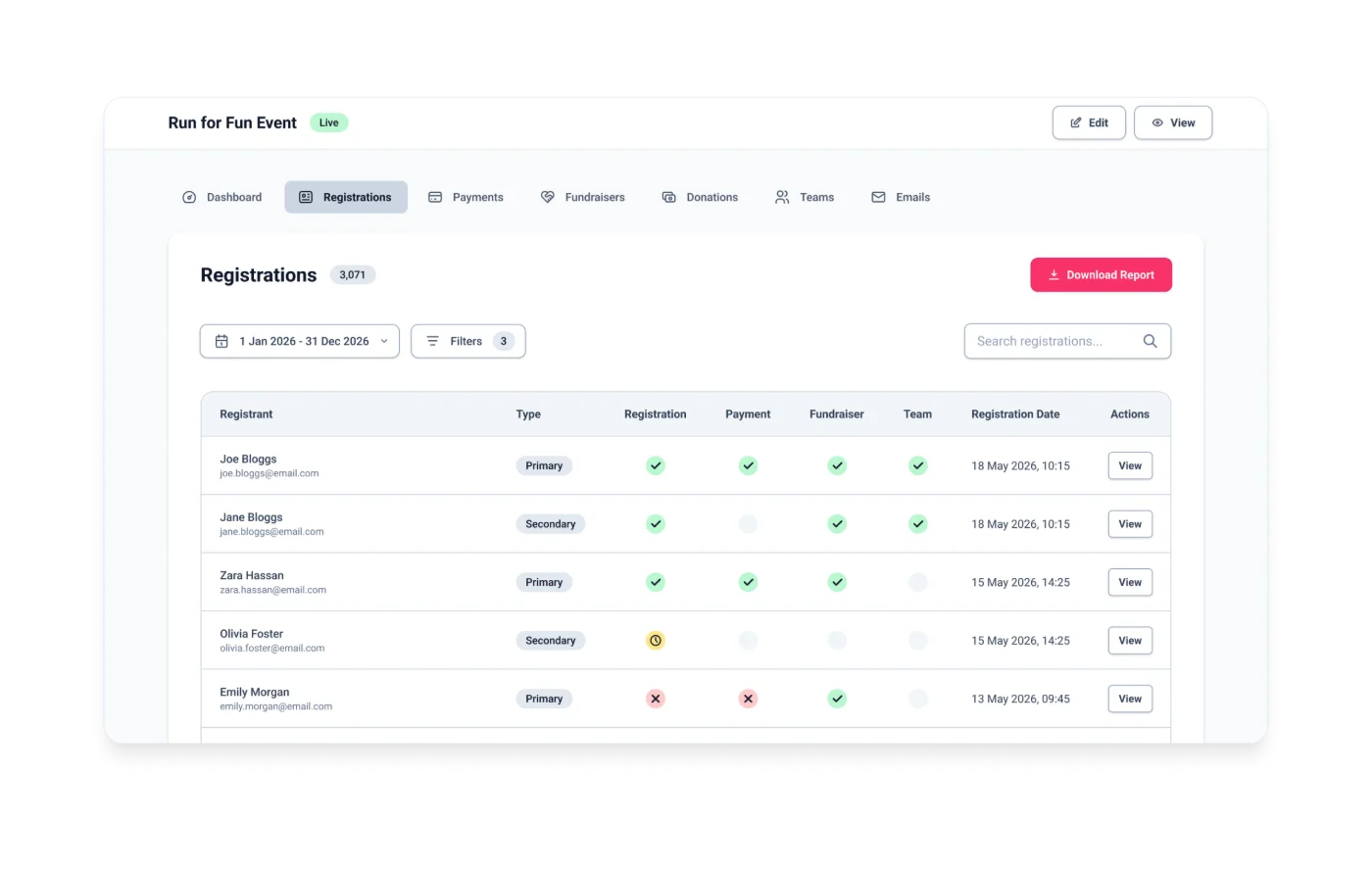
Registration, fundraising, and payment data in one unified real-time view. No reconciling spreadsheets or switching between platforms. Every supporter’s registration, payment, fundraising progress, and team status – visible in one place.
-
Supporter forms
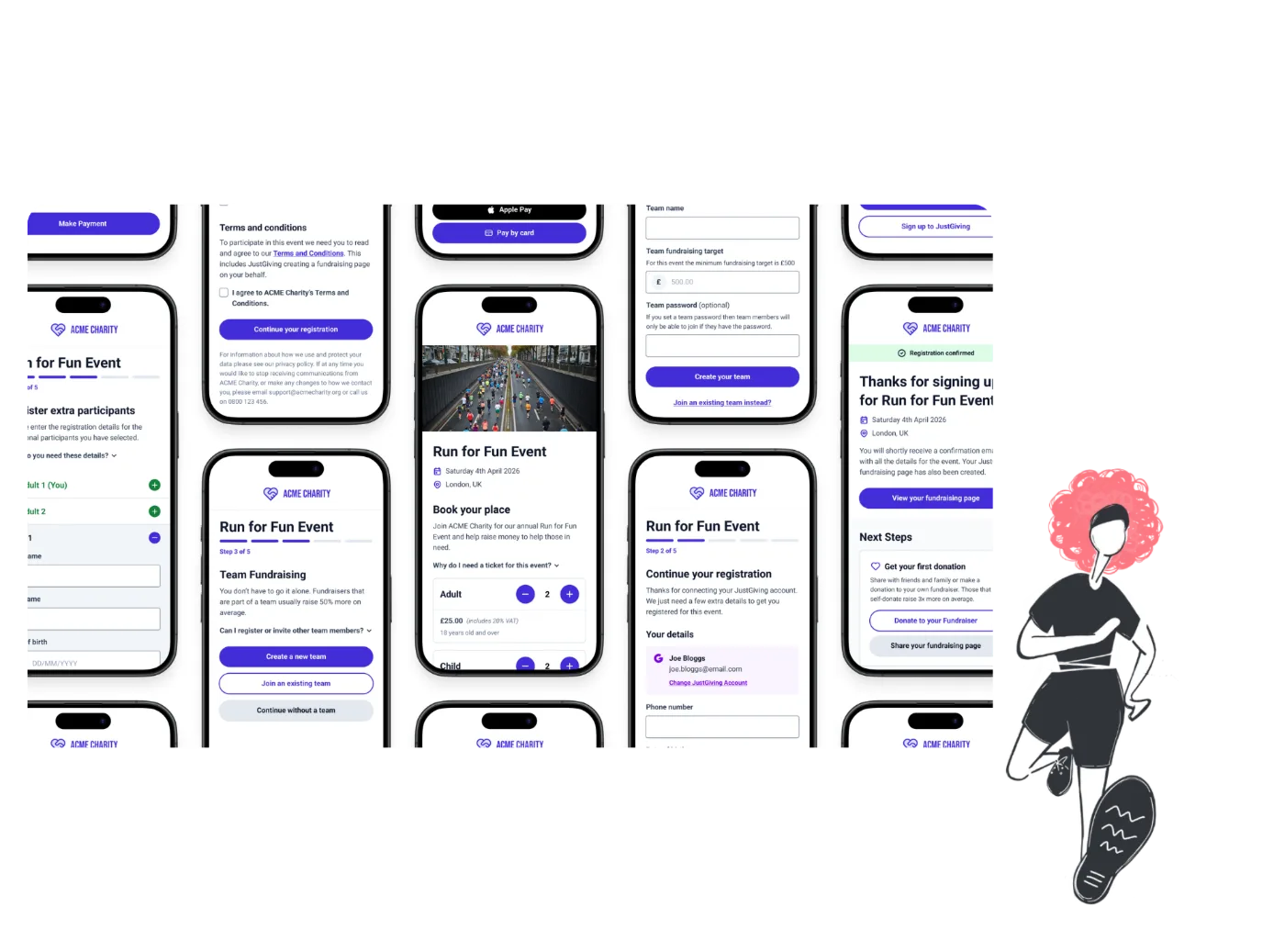
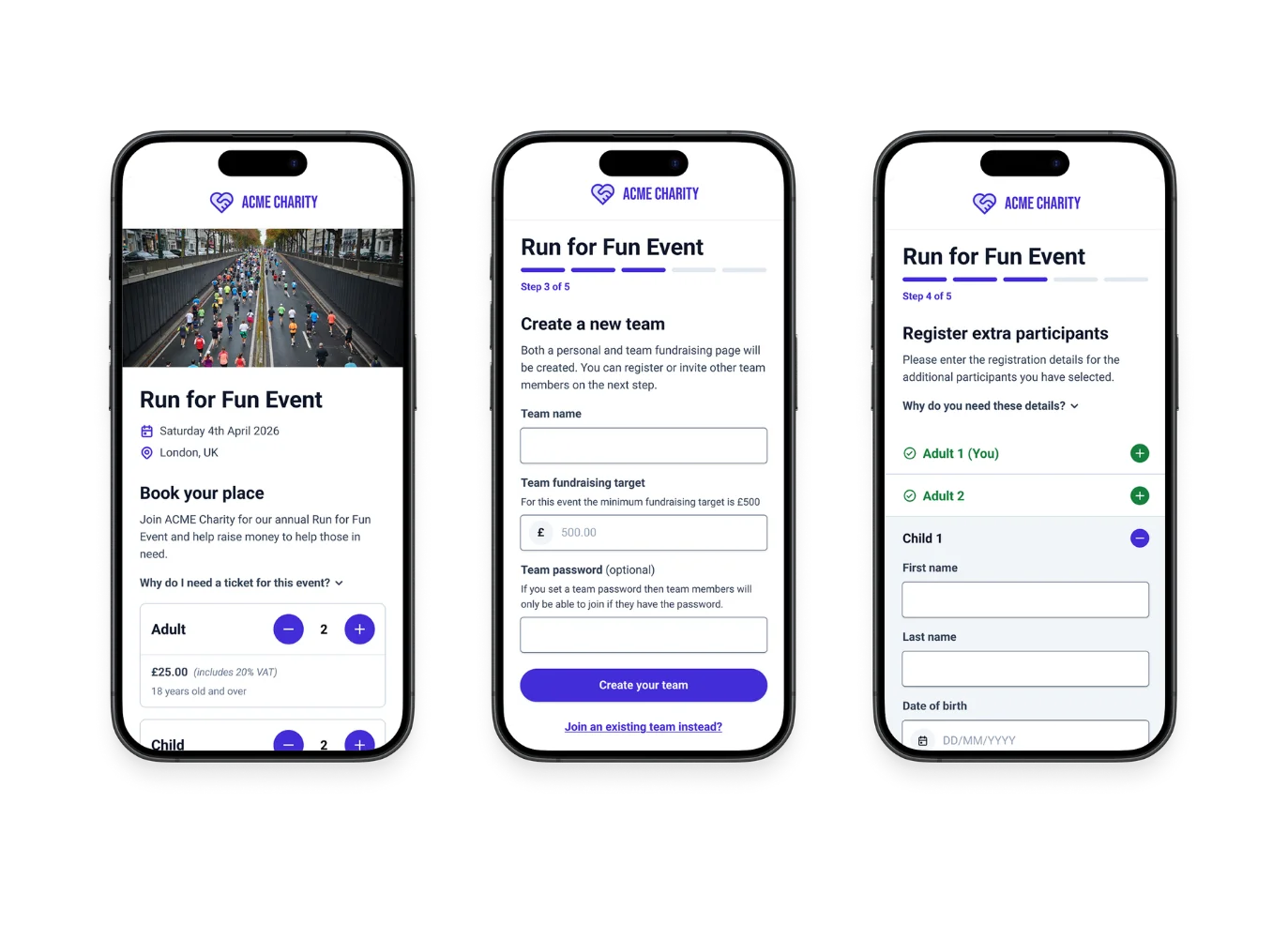
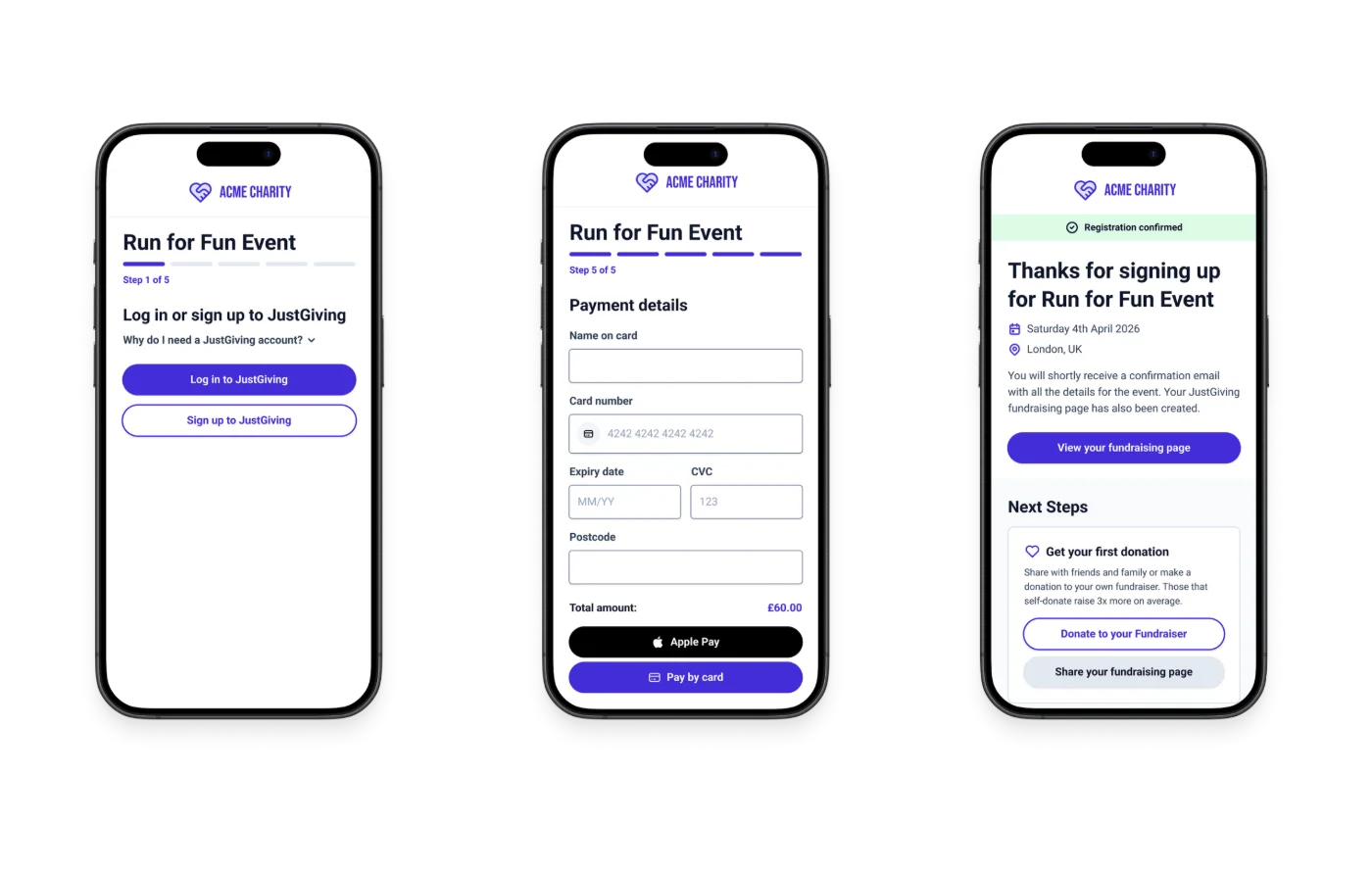
A mobile-optimised journey that takes supporters from ticket selection to fundraising page creation in a single flow. Individual or team fundraising, registering for others, and multiple payment methods – all built in.
Don’t just
take our word for it…
… here’s what our customers say
“Since we started using GivePanel Events, it’s made a huge difference to the time we spend on admin. We used to send hundreds of stewardship emails manually – it was incredibly time-consuming. Being able to automate so much of that, while still giving our supporters a brilliant experience, has honestly been priceless. Being able to take registration fees and keep people within the GivePanel Events journey has been a game changer for us. It’s made things so much easier for our supporters, and we’ve seen more people completing sign-up in that first click. Before, we were sending them off to a separate payment link, and we’d lose people who just didn’t come back to finish. We’d wholeheartedly recommend this to any other charity feeling the way we used to – buried in admin. It’s made a real difference for us.”
Vicki Dutton
Fundraising Manager at PAPYRUS
Since implementing GivePanel Events x JustGiving, we’ve had a really positive experience. The customer service is second to none, with exceptionally quick, helpful responses and a team that is always happy to support, which is one of the biggest reasons we’d recommend it to other charities. The registration journeys we’ve built are not only visually appealing for supporters but also work brilliantly in practice. The platform is intuitive to set up, brings everything together in one convenient dashboard, and the team is always on hand to help if needed, making event delivery much smoother and more efficient.

Jack Barsby
Senior Mass Participation Events Officer at Make-A-Wish UK
GivePanel Events has provided a game changing solution that meets the needs of both our supporters and internal teams, significantly improving the user experience while reducing manual data handling and administration. This has enabled our team to focus more time on supporter care, event experience and fundraising activity. We’re delighted to have made the move to the platform, and the GivePanel team have been incredibly supportive and responsive to our queries. Having worked with GivePanel previously, we were already confident in their approach and have continued to build on that positive experience and strong working relationship. We would encourage other charities to get in touch!

Katrina Jones
Head of Community and Digital Fundraising at Brain Tumour Research
Built with charities, for charities

One connected supporter journey
Supporters register, pay, and create their JustGiving fundraising page without leaving the flow. No separate setup. No platform-hopping. More supporters who actually start fundraising.

Complete data visibility
Every supporter’s registration, payment, fundraising, and team data in one unified profile. Advanced filters, a report builder, and real-time dashboards give your team the visibility to act.

Team fundraising built in
Supporters can create, join, manage, and invite others to teams as part of a single registration journey.

Automated stewardship emails
Build and send custom email sequences based on event milestones and fundraising progress.

Flexible event configuration
Multiple ticket types, conditional data capture, discount codes, group bookings, and branded forms. Configure your event exactly as you need it, without a specialist.

Safeguarding and compliance
Built-in child ticket management, parent/guardian data capture, terms and conditions controls, and dedicated testing modes so you can QA your entire event without affecting live data.
Tools to grow your event fundraising
-

Standard and group tickets, flexible data capture, discount codes, branded events and forms, stewardship email journeys, automated transaction emails, Stripe payments and more
-

Customisable dashboard, unified supporter profiles, registrant and refund management, advanced filters and report builder, CSV export and more
-

Integrated registration and fundraising, individual and team fundraising, register and invite others, Apple Pay and Google Pay, dedicated testing mode, safeguarding controls and more
Questions charities ask us
Pricing is based on your expected registrations and the number of events you run. Every plan includes the full product. Fill in your details on the Events pricing page and we’ll send you the pricing calculator.
Yes. GivePanel Events was built with JustGiving, so supporters register, buy their ticket and create their JustGiving fundraising page in one journey. You connect your JustGiving account once, then link each event to its JustGiving event. Fundraising totals flow back into your dashboard, alongside registrations and ticket payments.
Yes. You can run events you organise yourself, where you set the date, tickets and pricing, and manage your places in third-party events like marathons. Each event is its own campaign in the same account, with its own form, emails and dashboard.
A standard single-ticket event can be ready to take registrations in 30 minutes or less, including tickets, discount codes and stewardship emails. Events with several ticket types, group bookings or safeguarding controls take longer, but you never need a developer. Many charities have their first event live within a few days of signing up.
Yes. Events can be free, paid or a mix of both, with free and paid tickets in the same event. Paid tickets need your Stripe account connected.
Yes. Supporters can create or join a team, register and pay for friends and family, or invite others to register themselves, all in the same journey.
Payments go straight into your charity’s own Stripe account, by card, Apple Pay or Google Pay, and Stripe pays out on the schedule you choose.
Join a free GivePanel Events x JustGiving demo
Fill in your details, then pick a group demo date that suits you.
Planning your events programme? Read the events fundraising guide →