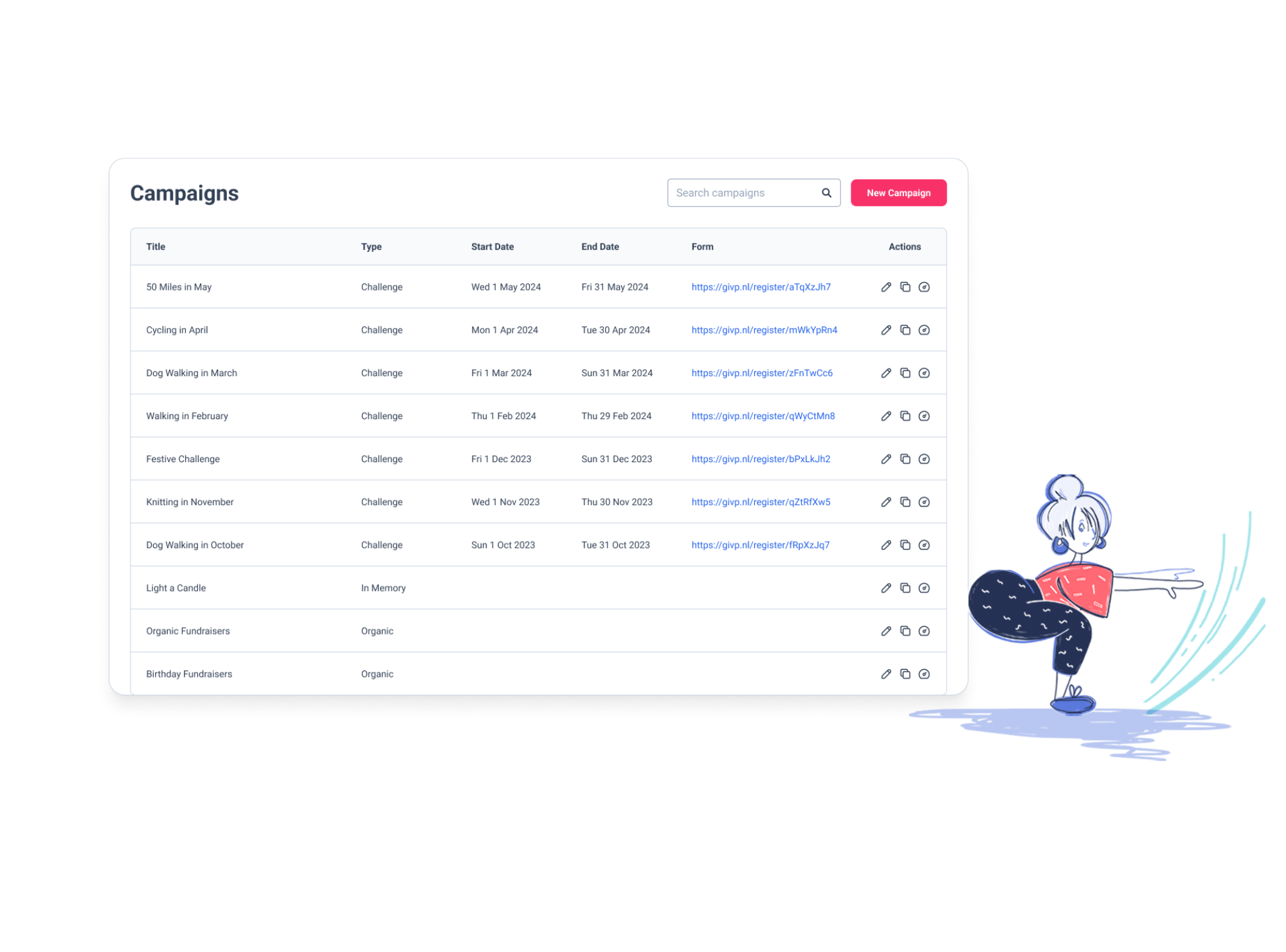
Screenshot of the GivePanel Campaigns list showing challenge, in memory and organic fundraising campaigns, beside an illustration of a woman stretching

Smart Registration & Multi-Platform Tools

Start with high-converting fundraiser registration forms that connect supporters to their preferred fundraising platforms while maintaining complete control over campaigns, data collection, and supporter journeys. Our seamless integrations maximise activation and create frictionless fundraising experiences.

Customisable Forms

Customisable Forms

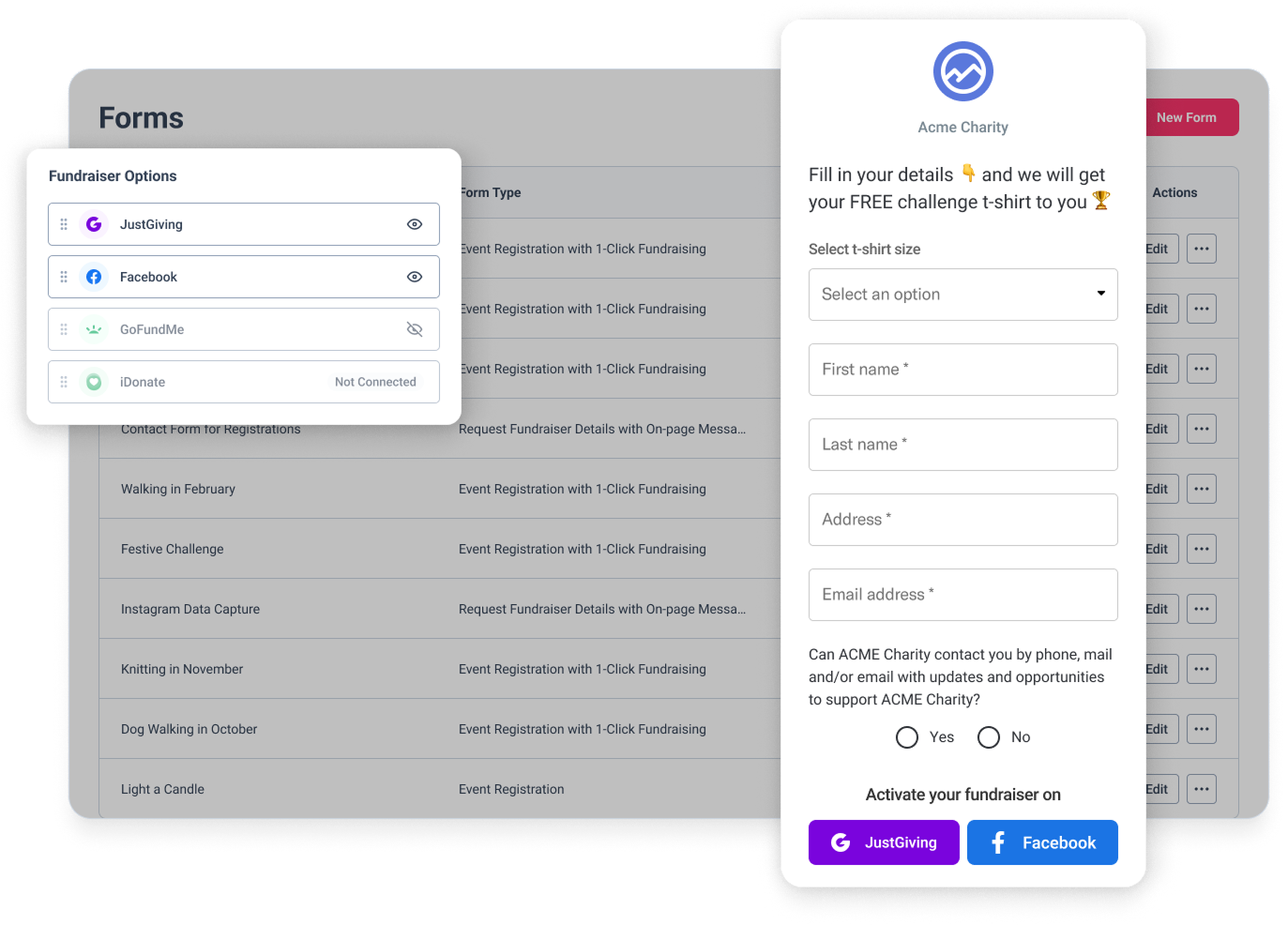
Build high-converting fundraiser registration forms tailored to your campaign needs, capturing essential data while providing a smooth path to fundraising activation.

  • Create mobile-optimised forms that convert more visitors
  • Offer multiple one-click fundraiser options on a single form
  • Include address lookup and validation for accurate data
  • Send branded confirmation emails upon completion
  • Design responsive forms that work on any device
Multiple Fundraising Platforms

Multiple Fundraising Platforms

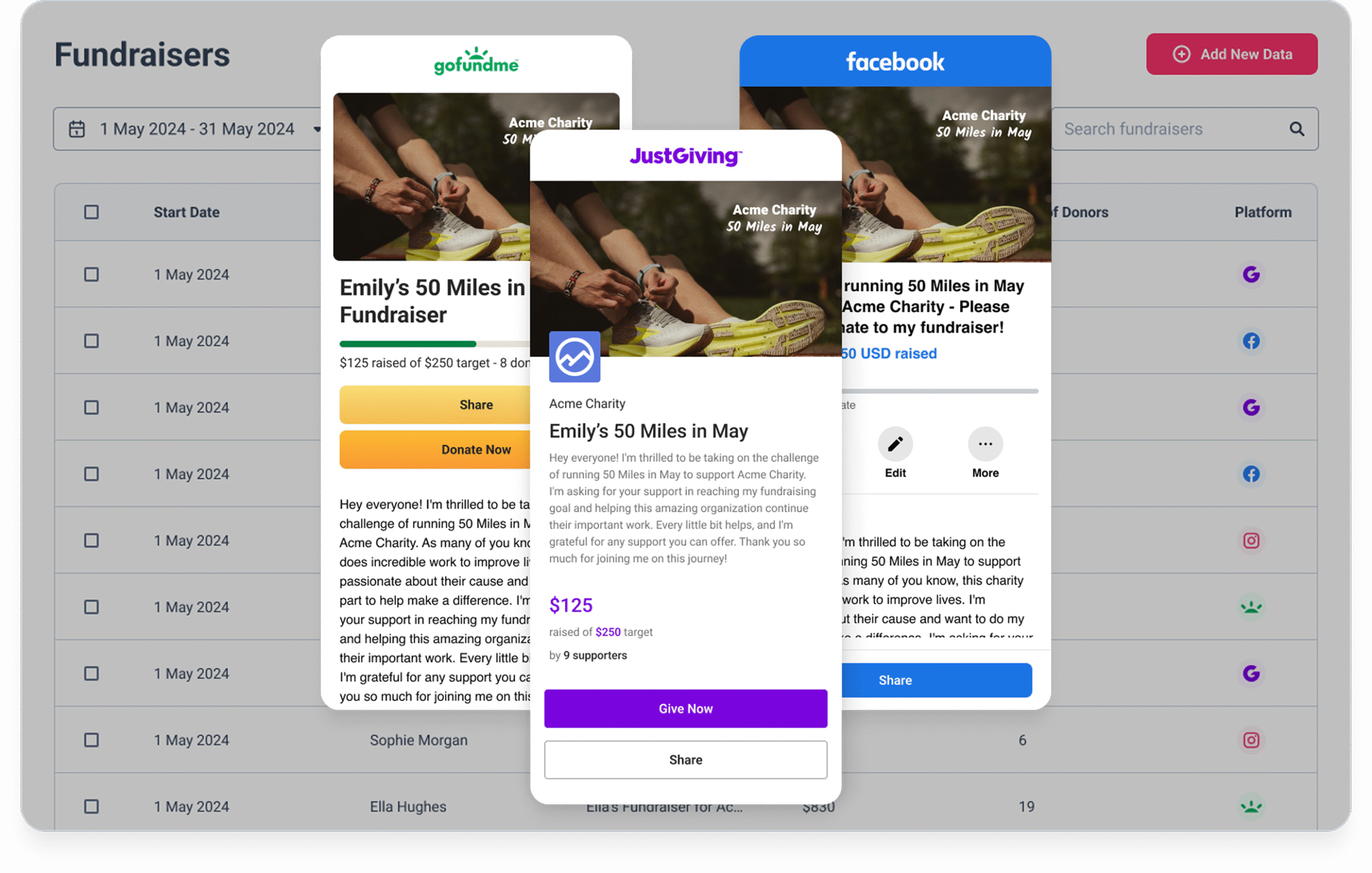
Enable one-click fundraiser activation across JustGiving, GoFundMe and Facebook, letting supporters choose where they’re most comfortable fundraising while maintaining a unified view of all activity.

  • Choose the optimal platform for different audience segments
  • Use multiple platforms side-by-side in the same campaign
  • Let supporters select their preferred fundraising platform
  • Test which platform performs best for different campaigns
  • Access best-in-class JustGiving integrations
Campaign Builder

Campaign Builder

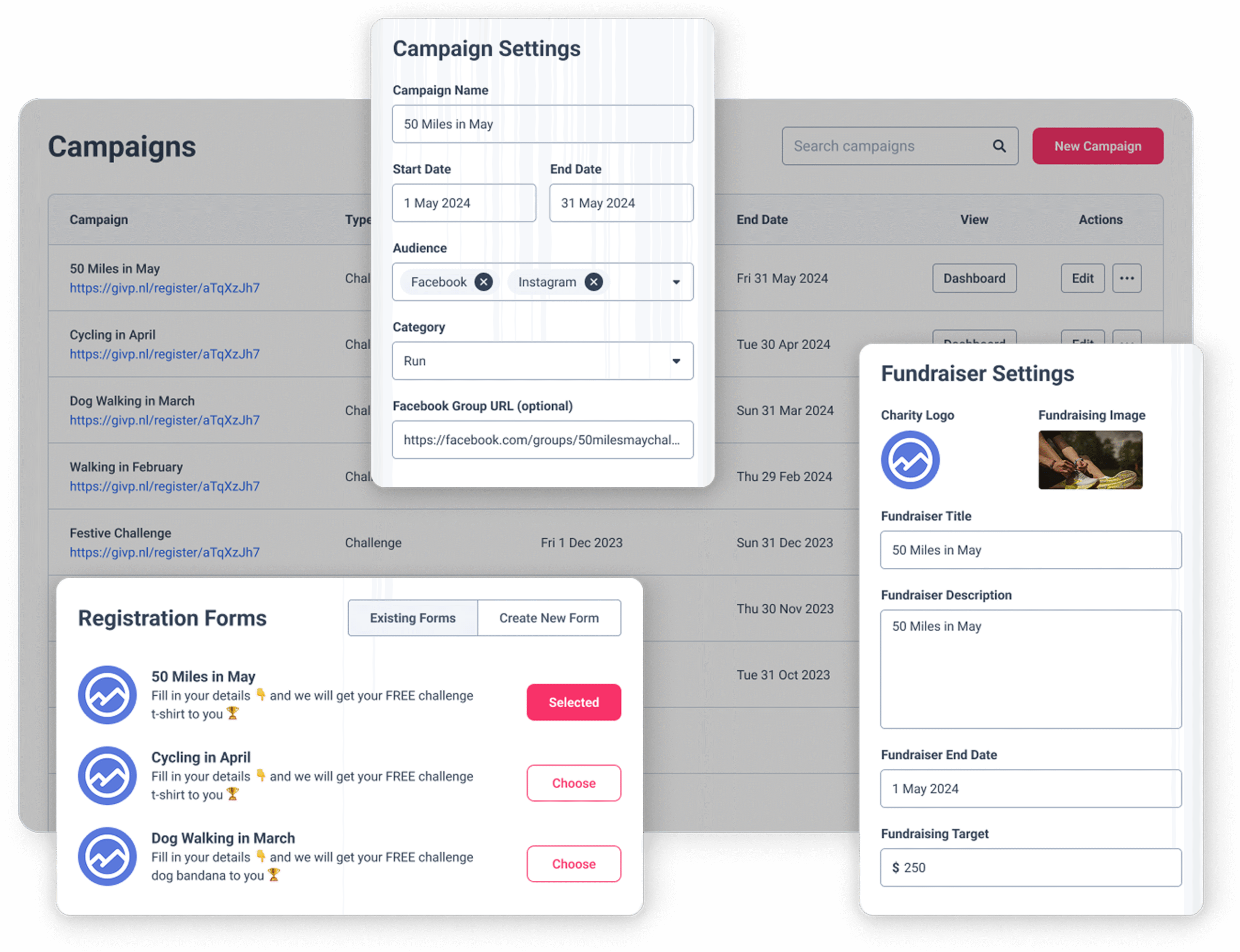
Create customised fundraising campaigns with our flexible builder that handles everything from registration to email journeys in one streamlined workflow.

  • Design fully customisable campaigns for any fundraising need
  • Implement integrated registration forms with your branding
  • Configure fundraiser creation settings for optimal conversions
  • Connect automated email journeys for supporter communications
  • Add custom fields for enhanced data reporting and segmentation
Fundraiser Matching

Fundraiser Matching

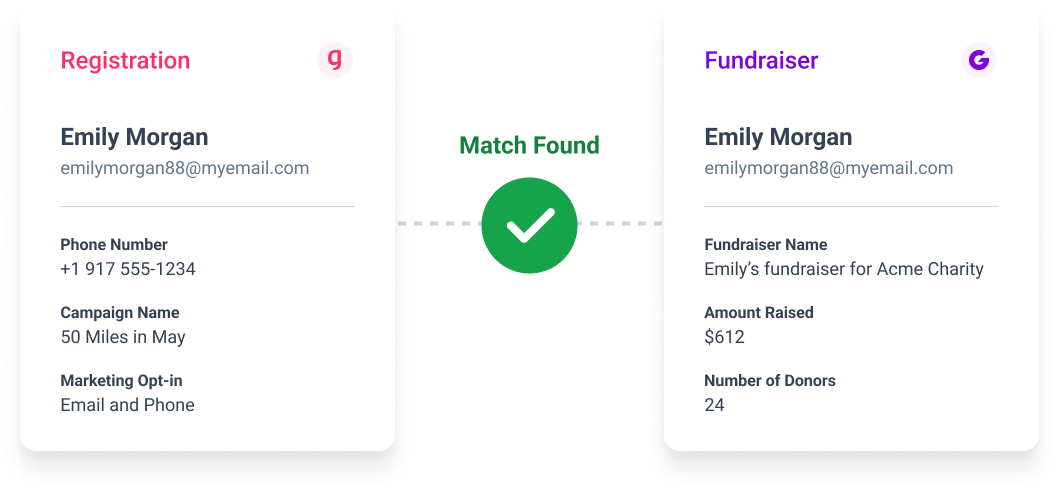
Connect all fundraising data automatically for a complete view of supporter activity across platforms, campaigns, and touchpoints.

  • Link fundraising data across platforms automatically

  • Match fundraisers to leads and registrations seamlessly

  • Create detailed reports with complete supporter journeys

  • Access manual matching tools for edge cases

  • Maintain data accuracy with automated processes
Lead Ad Performance

Lead Ad Performance

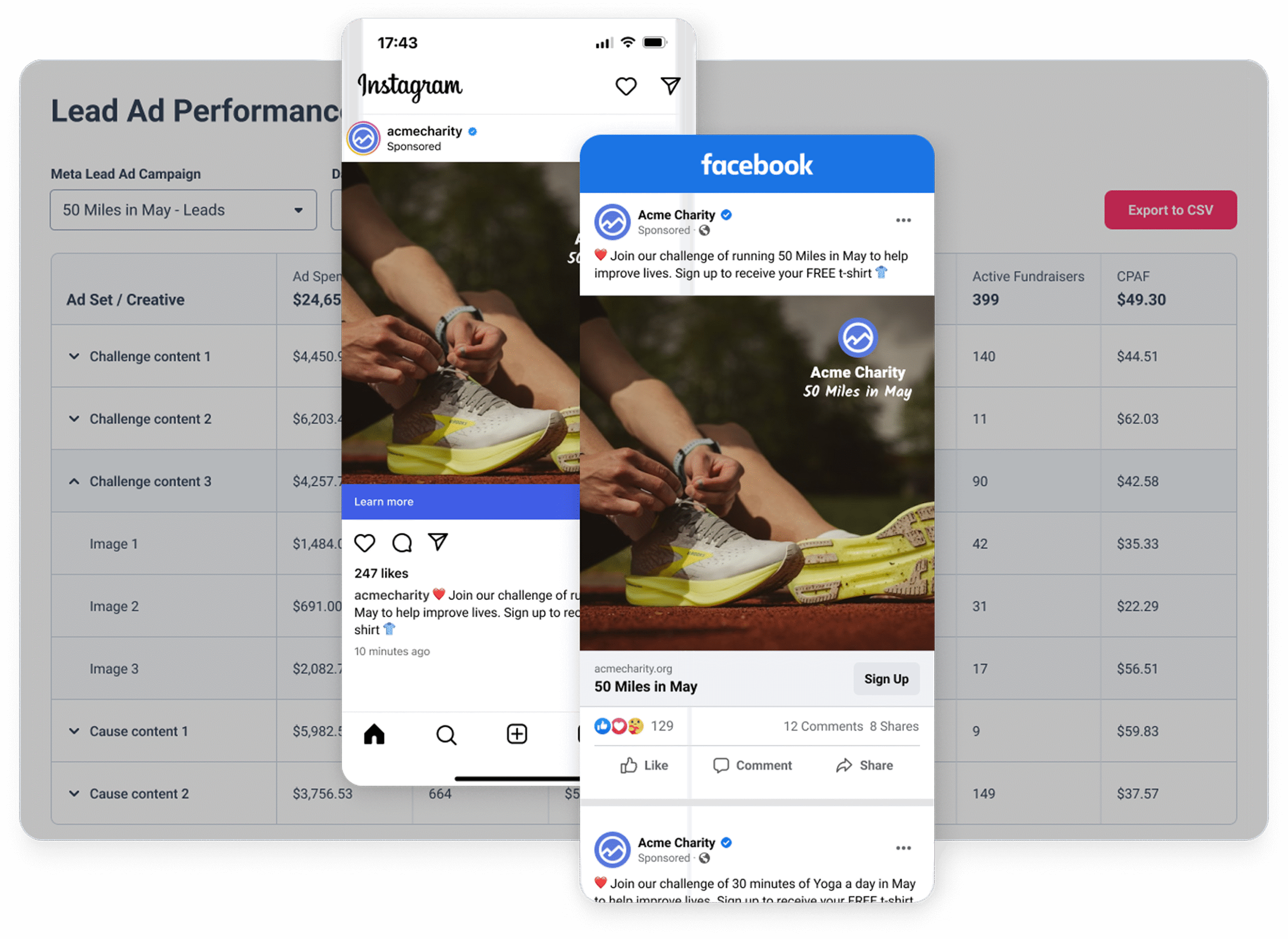
Track which lead ads deliver the best fundraising results, connecting ad performance to actual fundraising outcomes for smarter marketing decisions.

  • Match fundraising data directly to Facebook lead ads
  • Track key metrics including cost per lead and cost per active fundraiser
  • Break down performance by ad set and creative
  • Identify which ads produce the highest fundraising return
  • Filter analysis by lead form and date range


Frequently Asked Questions

How do charities reduce drop-off between registration and fundraising page creation?
The registration-to-fundraising-page gap is one of the most significant – and most avoidable – losses in peer-to-peer fundraising. Three things make the biggest difference: a high converting registration form that captures the supporter’s commitment before they leave the page; a way to create a fundraising page in as few steps as possible (GivePanel’s Custom Fundraiser link pre-fills the page so supporters can set it up in one click); and automated follow-up that prompts supporters to create their page before the momentum fades. Together, these consistently move more registrants into active fundraising.

What’s the best way to collect supporter data from multiple fundraising platforms in one place?
The challenge with multi-platform fundraising is that each platform – JustGiving, Facebook, GoFundMe – holds data separately, making it hard to get a complete picture of your supporters without exporting and reconciling manually. The most effective solution is a fundraising platform that sits on top of all of them: capturing registrations through a single form, importing fundraising data from each platform automatically, and bringing it all together in unified supporter profiles. That way your team works from one view rather than managing separate datasets for each channel.

How do you set up a charity registration form that converts?
A high-converting charity registration form is short, mobile-optimised, and does as much of the work as possible for the supporter. Key principles: minimise the number of fields to what you actually need; make sure the form works well on mobile where most supporters are taking action; connect directly to fundraising page creation so registration and setup happen in the same journey; and use source tracking so you can see which channels are driving registrations. GivePanel registration forms are built around these principles and are available for Events, DIY, and Virtual Challenge campaigns.

Which fundraising platforms does GivePanel support?
GivePanel integrates with JustGiving, GoFundMe, Facebook, iDonate, and PayPal Giving Fund. Supporters can choose their preferred platform when they register – and your team manages the data from all of them in one place.

Can I embed a GivePanel registration form directly on my website?
Yes – for DIY and Virtual Challenge campaigns, forms can be embedded directly on your website so supporters never need to leave your page to register. You’ll need to contact the GivePanel support team to enable embedded forms on your account, and then add your website domain to your allowed domains list before the form will display.

Note: Embedded forms are available as an add-on – speak to the team to confirm if it’s included
in your licence.

Where else can I use a GivePanel registration form?
Every GivePanel registration form has a single URL that works anywhere – Facebook
groups, emails, posts, paid ads, or linked from your website. You can share the same link
across every channel without creating separate forms for each.

What is a Custom Fundraiser link?
A Custom Fundraiser link (formerly called 1-Click) lets supporters create a pre-configured fundraising page in a single click — with your campaign’s cover image, title, and end date already filled in. They skip the setup and go straight to fundraising. It works across Facebook, JustGiving, and GoFundMe.

Can supporters create a GoFundMe fundraising page through GivePanel?
Yes. When the GoFundMe integration is enabled on a campaign, supporters see GoFundMe as a fundraising option when they register. They can create a GoFundMe fundraising page in one click alongside any other platforms you’ve enabled. Note that GoFundMe has a few requirements for fundraiser creation – the page title must be 45 characters or fewer, the description at least 80 characters, and a fundraiser image must be set. GoFundMe data is imported into GivePanel manually rather than automatically.

Is GivePanel compatible with JustGiving’s infrastructure?
Yes – GivePanel has deep, native integration with JustGiving. JustGiving fundraising data is imported into GivePanel daily, and the integration supports registration, fundraising page creation, data matching, and stewardship across JustGiving campaigns.

Are GivePanel registration forms mobile-friendly?
Yes. GivePanel forms are mobile-optimised as standard, designed for the environments where most supporters are taking action – social feeds, email on mobile, and paid social ads.

Can I track where registrations are coming from?
Yes. GivePanel supports marketing source codes on forms and Custom Fundraiser links, so your team can see which channels, ads, or posts are driving registrations and fundraiser page creation. This data feeds into your campaign reporting.

How does GivePanel match fundraiser data across platforms?
GivePanel automatically links fundraising data from JustGiving and Facebook to the corresponding registrations and leads in your account, giving you a complete picture of each supporter’s journey. For GoFundMe, data is imported manually. Manual matching tools are also available for any edge cases where automatic matching isn’t possible.

Can I connect my Facebook lead ads to actual fundraising outcomes?
Yes. GivePanel’s Lead Ad Performance feature matches your Facebook lead ad data to real fundraising results – so you can see cost per lead, cost per Active Fundraiser, and total fundraising raised, broken down by ad set and creative. This helps your team identify which ads are driving the best fundraising return, not just the most clicks.

Ready to connect supporters
with their ideal platforms?

Let’s enhance your conversions.

    Charity-Owned Events & Virtual ChallengesDIY and Supporter-Led FundraisingThird Party Events

    From time to time, we would like to contact you with marketing information about our products and services, as well as other awesome content that may be of interest to you. If you do not want to hear from us in this way, please tick the box below.

    I do not want to receive marketing emails from GivePanel 🙁

    GivePanel is committed to protecting and respecting your privacy. You can unsubscribe from these communications at any time – for more information see our Privacy Policy.