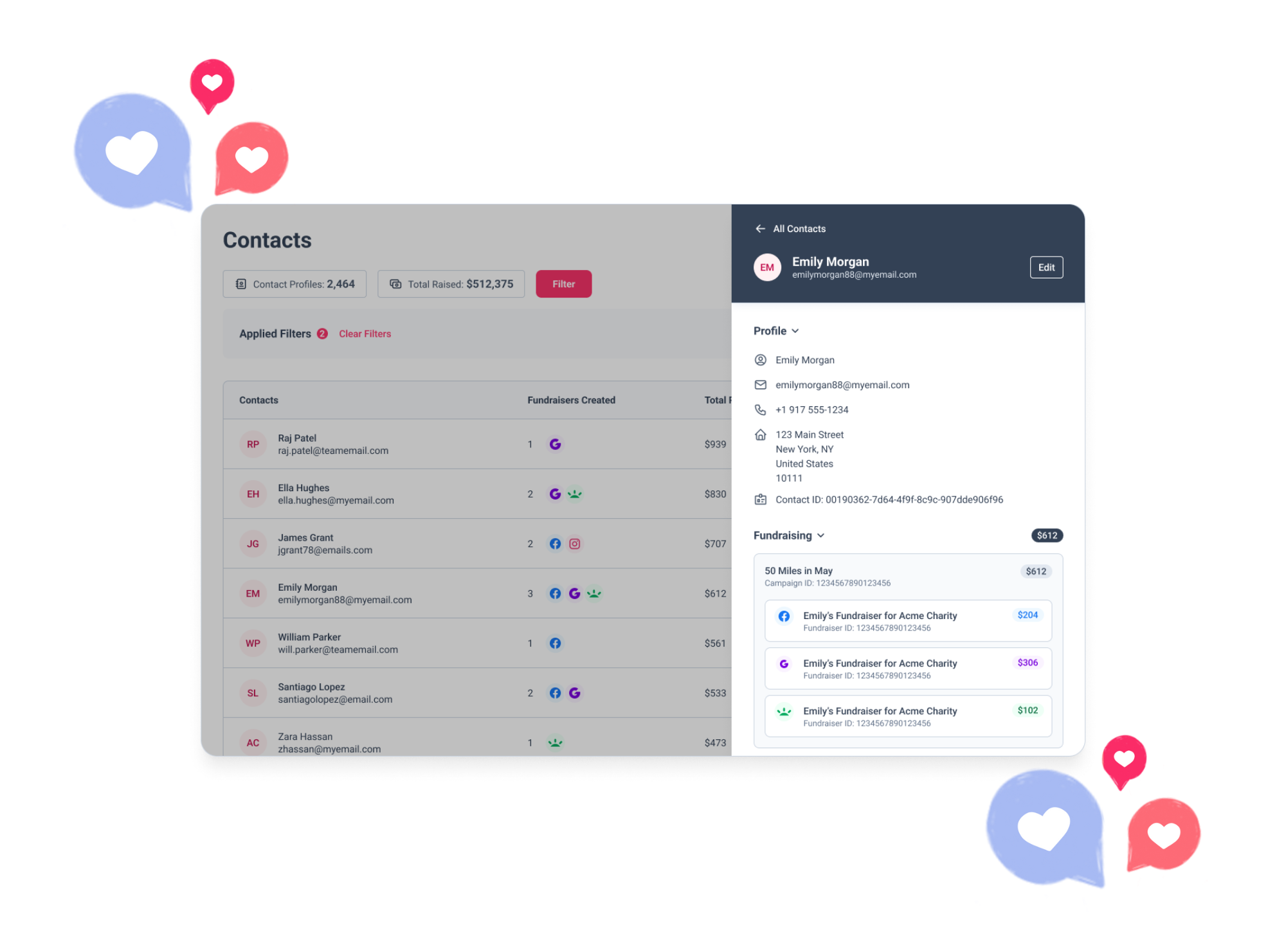
Automated email journeys that turn registrants into fundraisers
Set up emails that go out automatically based on what each supporter has or hasn’t done yet, so more of the people who register go on to fundraise.
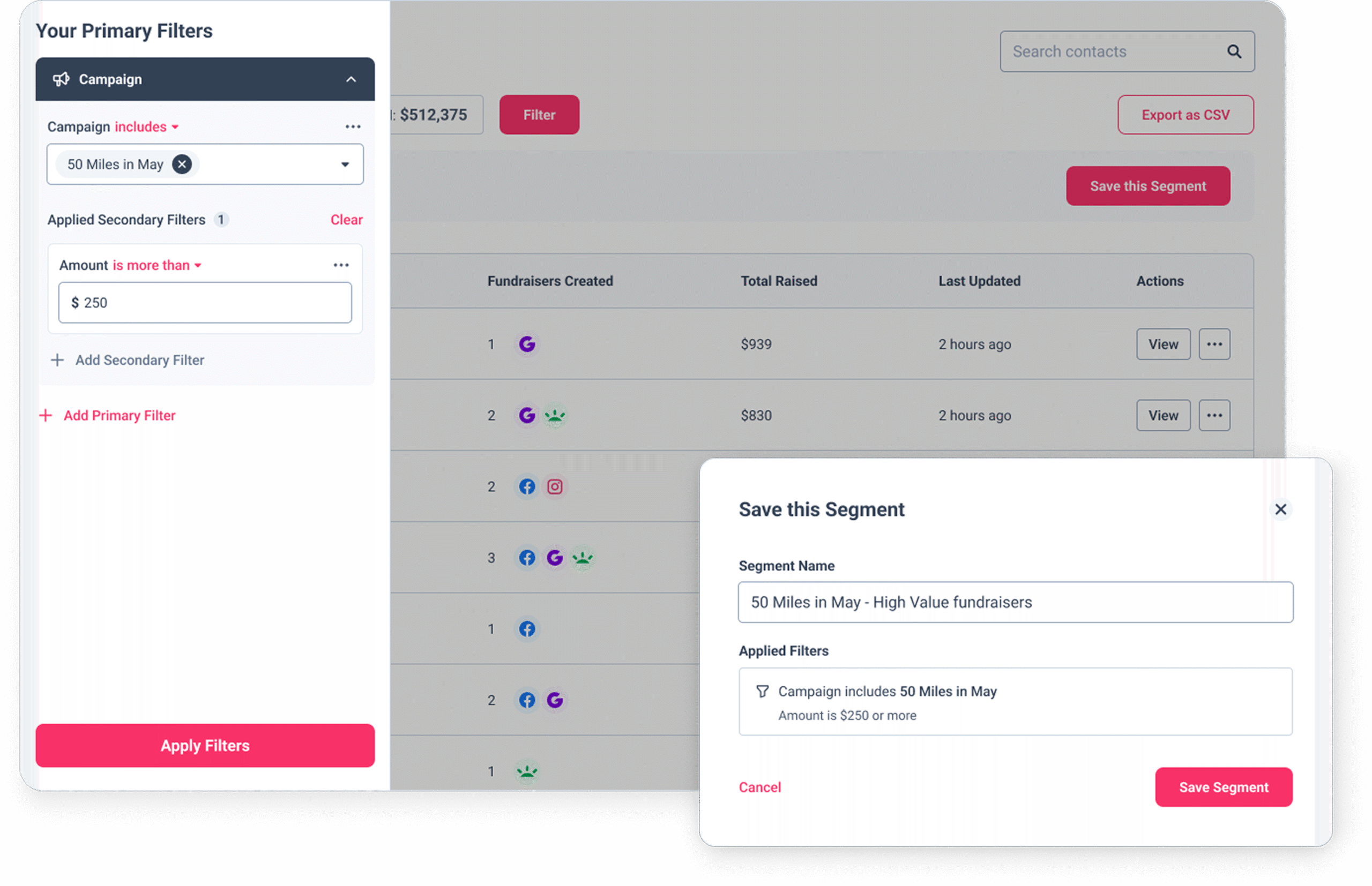
Advanced filters and segments
Create targeted supporter groups based on detailed criteria, enabling personalised communications that drive better fundraising results across your campaigns.
- Organise supporters into strategic segments for targeted messaging
- Use advanced filtering to tailor segments based on multiple criteria
- Save any filtered view as a reusable segment
- See total fundraising amounts for each segment
- Export segment data as CSV for additional analysis
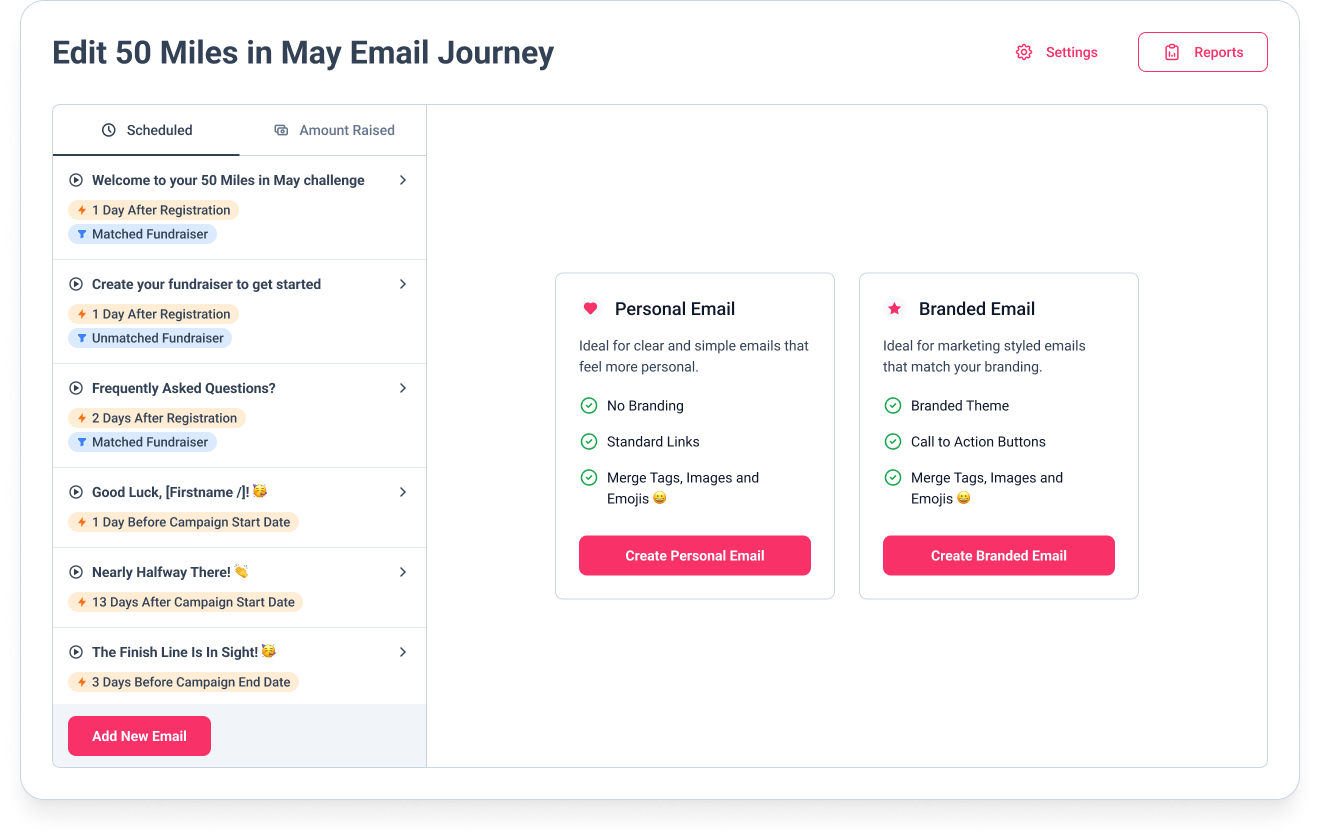
Automated email journeys
Design and deploy sophisticated email sequences that guide supporters through their fundraising journey without requiring manual intervention.
- Send emails from your own address for brand consistency
- Create personal or professionally styled branded emails
- Include dynamic merge tags for personalised content
- Visualise when your emails will be sent in a timeline view
- Manage exclusion and unsubscribe lists with ease
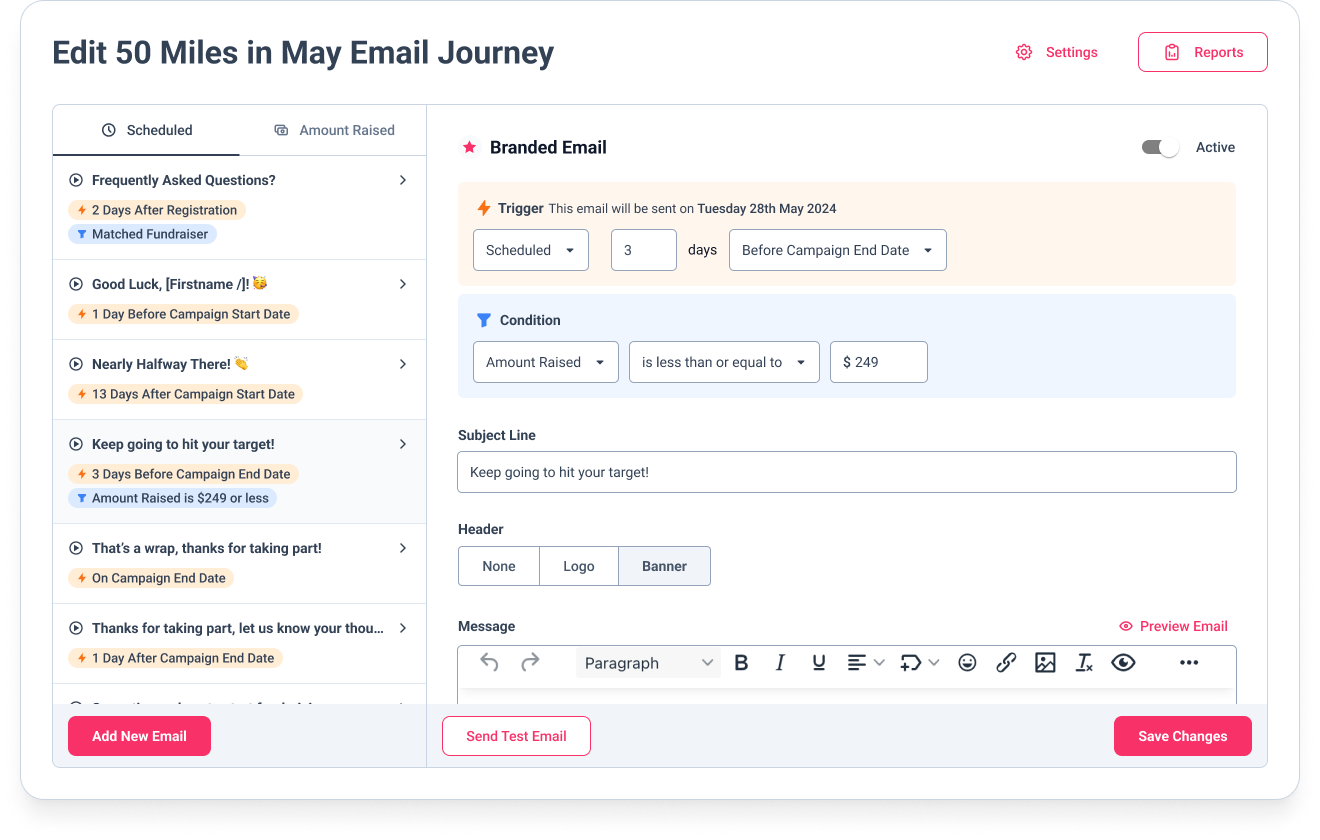
Custom triggers and conditions
Set up automated communications based on specific supporter actions or milestones, ensuring timely messaging that maximises fundraising potential.
- Schedule time-based triggers for consistent communications
- Create amount-based triggers for fundraising milestones
- Apply advanced conditions to filter message recipients
- Target based on amount raised or platform used
- Filter by matching status or JustGiving claim status
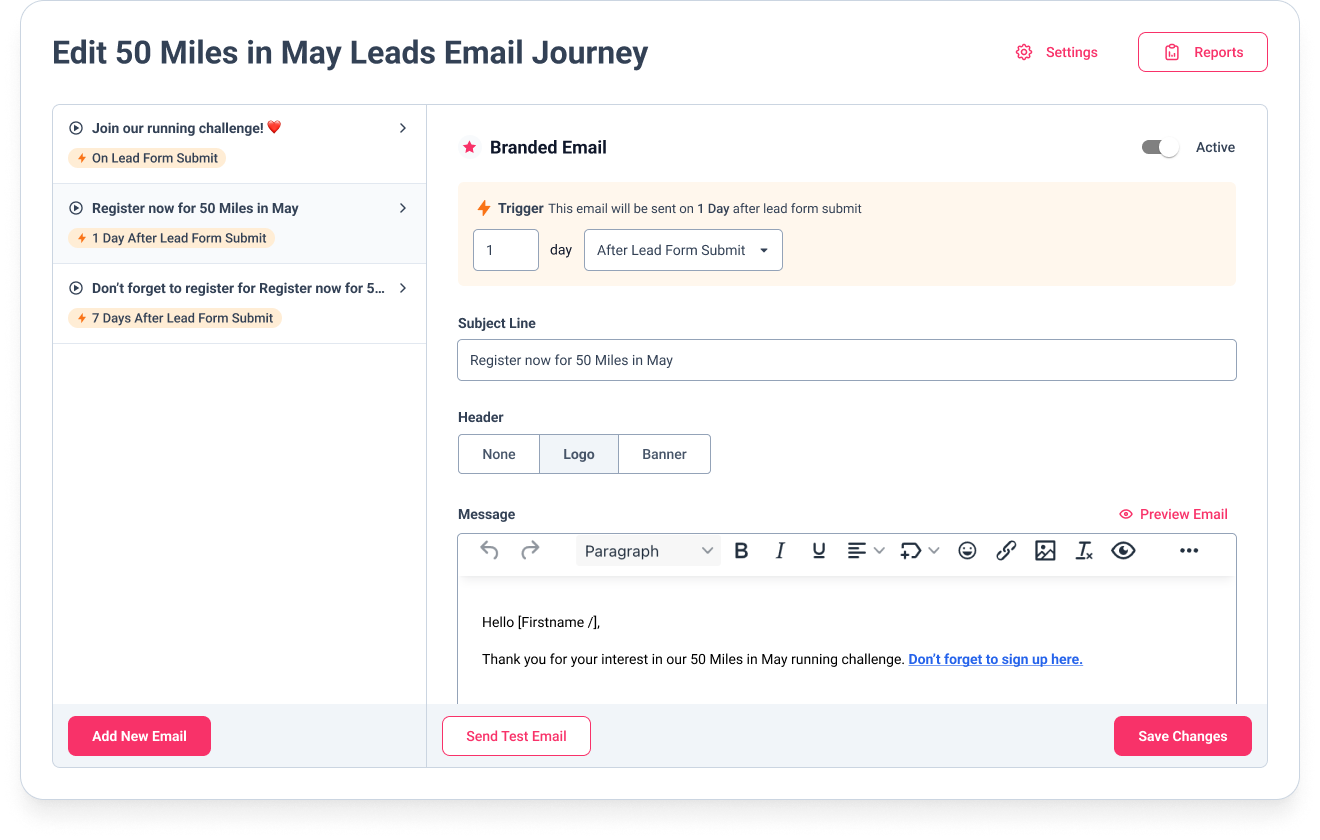
Lead-specific email journeys
Convert more leads into registered fundraisers with specialised email sequences designed to move prospects through your recruitment funnel.
- Create time-based lead nurturing sequences
- Send messages immediately after lead form submission
- Tailor communications specific to different lead sources
- Increase registration conversion rates significantly
- Leverage all benefits of the automated email journey system
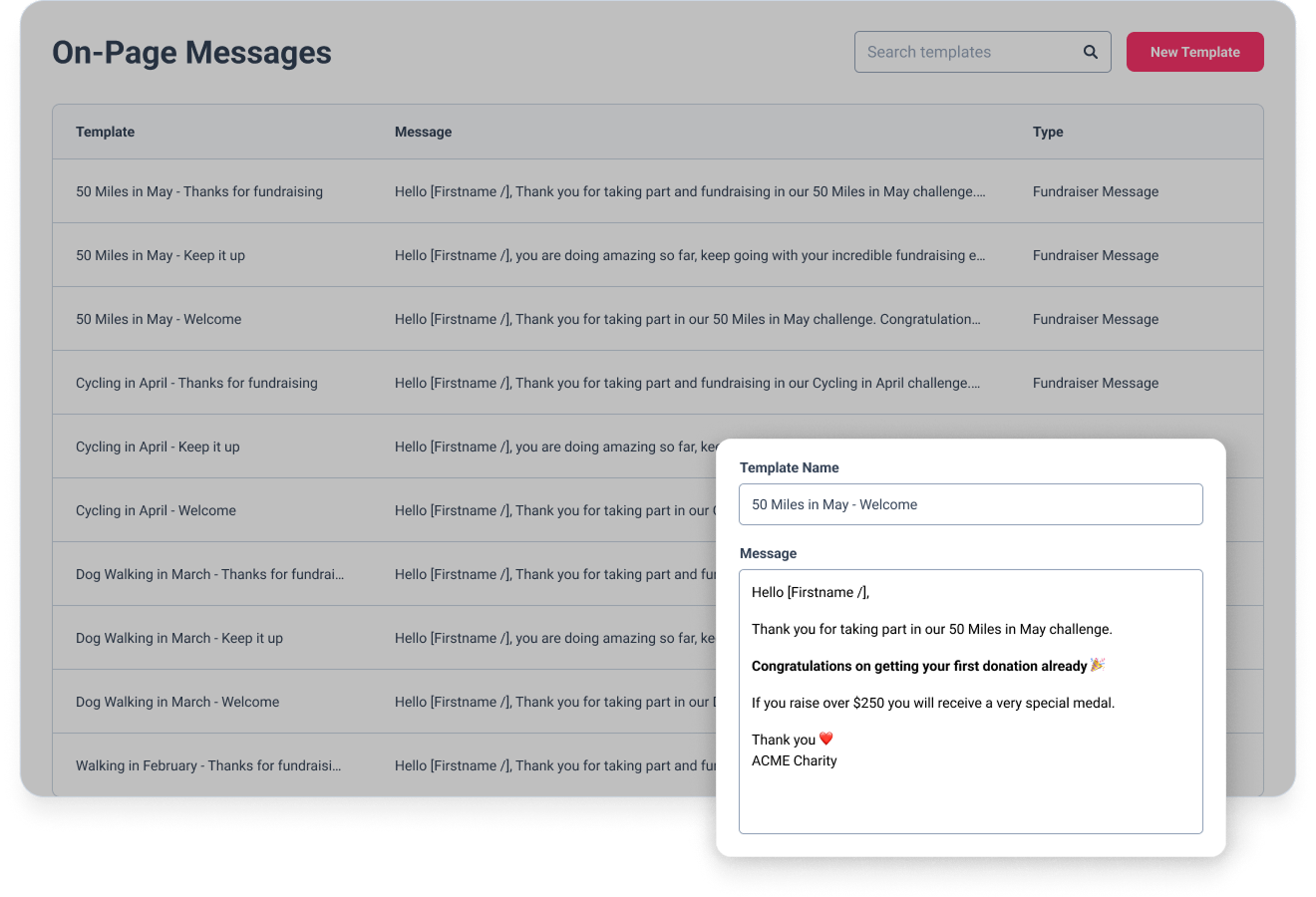
On-page messaging
Engage Facebook fundraisers directly on their fundraising pages with personalised messages that boost activity and increase donation amounts.
- Thank supporters directly on their fundraising pages
- Personalise fundraiser page messages for greater impact
- Include merge tags like first name for personalisation
- Increase fundraising by up to 20% with timely messaging
- Save time for your fundraising teams with automated tools
Works across virtual challenges, DIY fundraising and events.
Don’t just
take our word for it…
… here’s what our customers say
Since we started using GivePanel Events, it’s made a huge difference to the time we spend on admin. We used to send hundreds of stewardship emails manually – it was incredibly time-consuming. Being able to automate so much of that, while still giving our supporters a brilliant experience, has honestly been priceless. Being able to take registration fees and keep people within the GivePanel Events journey has been a game changer for us. It’s made things so much easier for our supporters, and we’ve seen more people completing sign-up in that first click. Before, we were sending them off to a separate payment link, and we’d lose people who just didn’t come back to finish. We’d wholeheartedly recommend this to any other charity feeling the way we used to – buried in admin. It’s made a real difference for us.
Vicki Dutton
Papyrus
“GivePanel has enhanced our connection with fundraisers by providing real-time, accessible data that enables us to create personalised supporter journeys. This is informed by factors such as where participants choose to fundraise, how much they are raising and when they begin during the challenge cycle.”

Lauren Muldowney
Fundraising Project Lead at Samaritans
Ready to guide supporters
through their fundraising journey?
Tell us what fundraising you’re running and we’ll show you how GivePanel can work for your team.