
Inside GivePanel Events: Event Builder and Dashboards & Reporting
When we talk about the features of GivePanel Events, we tend to talk about 3 areas – features built for charities, features built for supporters and features that make it special. Today, we’re going to take you behind the scenes to look at our Event Builder, and Dashboards & Reporting.
Event Builder: configure your entire event without technical resource
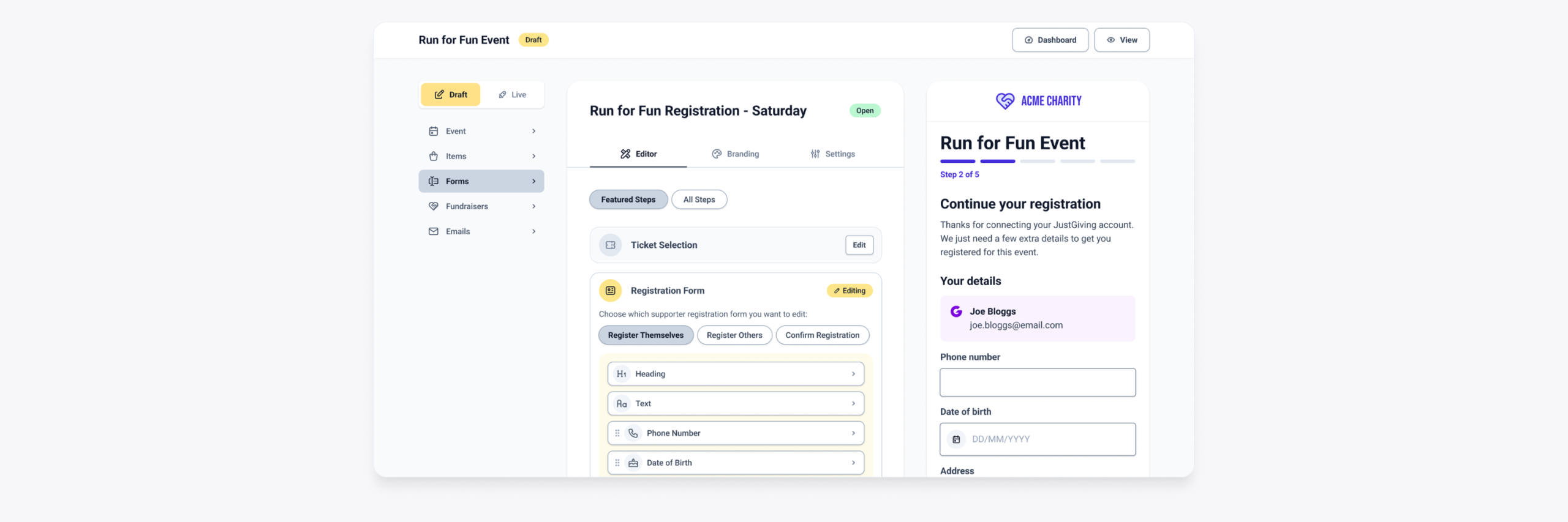
The Event Builder is designed for event, fundraising, and digital product teams, and the headline number is 30 minutes – that’s how long it takes to configure a complete event, start to finish.
Inside GivePanel Events, you’ll be able to create, set up and amend:
- Tickets – standard and group ticket types, with pricing, VAT, capacity limits, and availability dates
- Registration forms – flexible data collection with a wide range of field types and conditional logic
- A branded experience – customise every step of the journey to match your charity’s brand, across multiple forms
- Discount codes – amount or percentage-based, for any event
- Stewardship email journeys – automated sequences triggered by event milestones and fundraising goals
- Transaction emails – fully customisable confirmation and invite emails
- Payments – direct Stripe processing with card, Apple Pay, and Google Pay, plus Meta Leads and Conversr integrations
Using our PUFF (powerful user-friendly features) methodology, we’ve created a frictionless product where a charity can set up all aspects of their event in 30 minutes or less. It’s flexible enough for a complex, multi-ticket event and simple enough that anyone on your team can run it.
Dashboards & Reporting: complete data, complete visibility
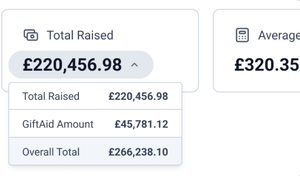
The second area is built for fundraising, data, and support teams: every supporter’s registration, payment, fundraising progress, and team status, in a single, real-time view.
What that looks like in practice:
- A customisable dashboard combining event and fundraising performance with full metric breakdowns
- Unified supporter profiles – every data point for every supporter, in one place
- Registrant and refund management – edit registrations and process refunds directly from supporter profiles
- Advanced filters and a report builder – segment and export supporter data across registrations, payments, and fundraising
Don’t just take our word for it
“GivePanel Events has provided a game changing solution that meets the needs of both our supporters and internal teams, significantly improving the user experience while reducing manual data handling and administration. This has enabled our team to focus more time on supporter care, event experience and fundraising activity. We’re delighted to have made the move to the platform, and the GivePanel team have been incredibly supportive and responsive to our queries. We would encourage other charities to get in touch!”
Katrina Jones, Head of Community and Digital Fundraising, Brain Tumour Research
Event Builder and Dashboards & Reporting are two of the three core areas GivePanel Events is built around – built purposely for charities. The third, Supporter Forms, is what your supporters experience – we’ll cover that in our next post.
Try the interactive demo or join a demo to see GivePanel Events in action.